
Welcome to our 1st blog of 2026.
This month’s blog is a round up of the latest features we’ve added to LogiqBoard. Small changes, all designed for you, the chess teacher.
1. Motherboard Pincodes
First up, is the newest feature: pincodes to the motherboard.
When would you need to use this feature?
If you teach groups online you may want to play a group game so you share the pincode and students have access to your board. Previously, online chess tutors would share a link in the chat feature or share QR codes to be scanned. The pincode makes your lessons run more smoothly. Small changes, big impact!
For classroom teaching you may want to do a game demo and invite the front row students, for example, to join in. Show the pincode, students type it and they’re ready to be part of the demo.
You might not always want students to come and stand at the front so this is an alternative way to teach and explore learning.
Past experiences joining the motherboard
I’ll never forget the lessons where I’d asked students to copy the very long URL link I’d written up on the whiteboard or the lessons where I asked students to scan my QR code from the demoboard. Imagine if you can, thirty students holding up their chromebooks together and scanning QR codes on the camera. Little people moving around and needing help! Well, I’m pleased to announce those days are over.
Here are the instructions for students joining the motherboard:
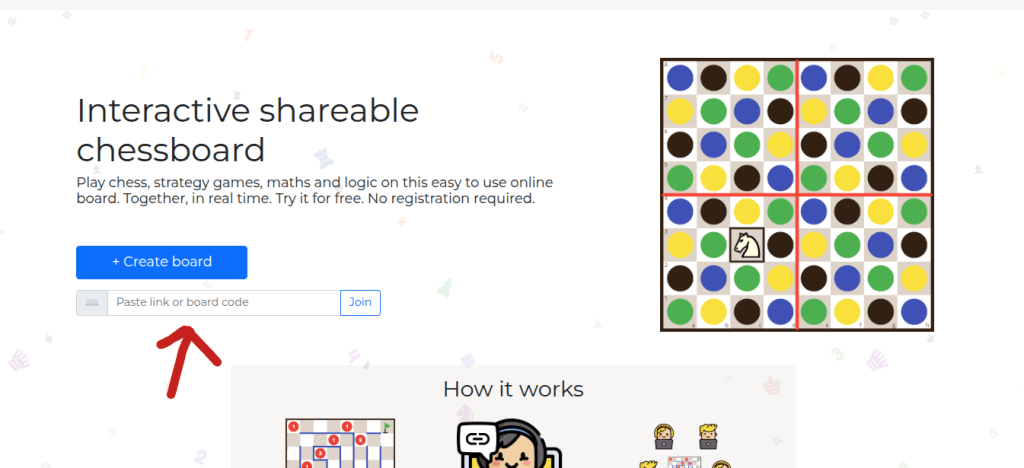
- Students type logiqboard.com onto their browser
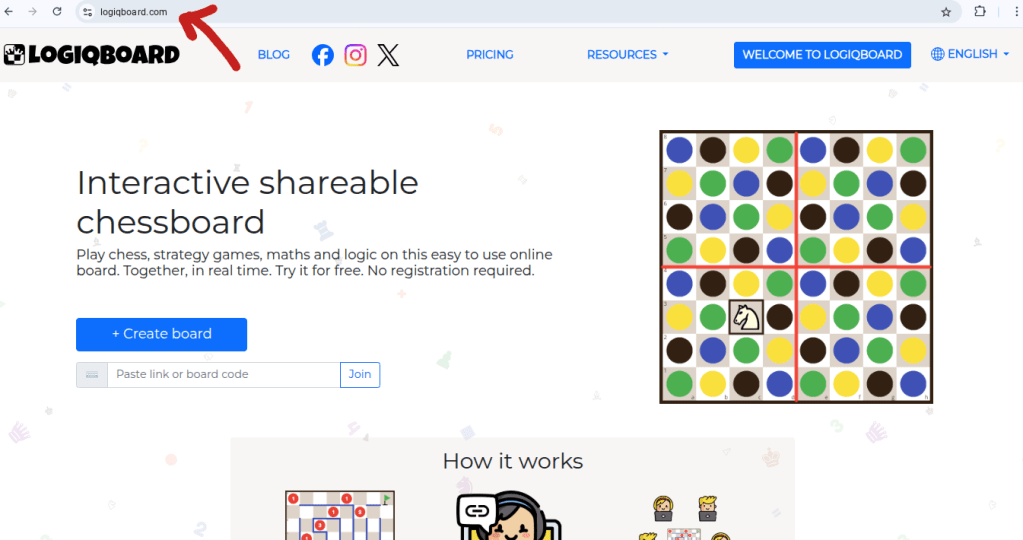
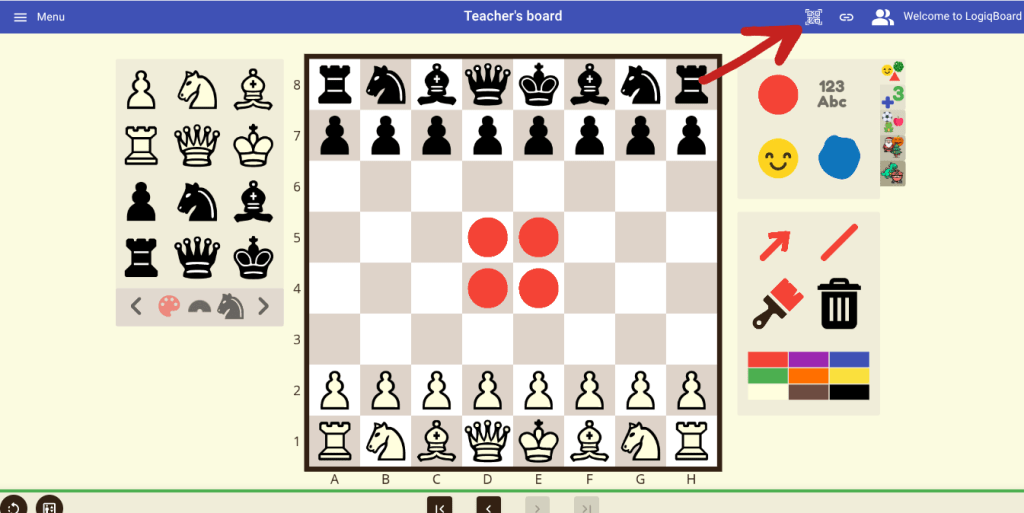
- The teacher displays the game/task and clicks on the QR code, top right.
- The QR code will appear with a ‘simple code’ for you to click on at the bottom.
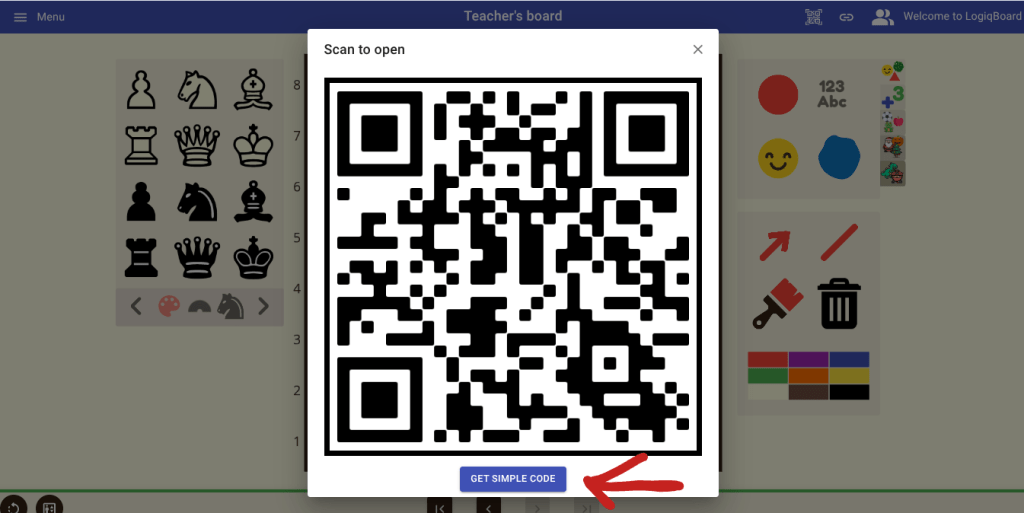
- Click to get ‘simple code’.
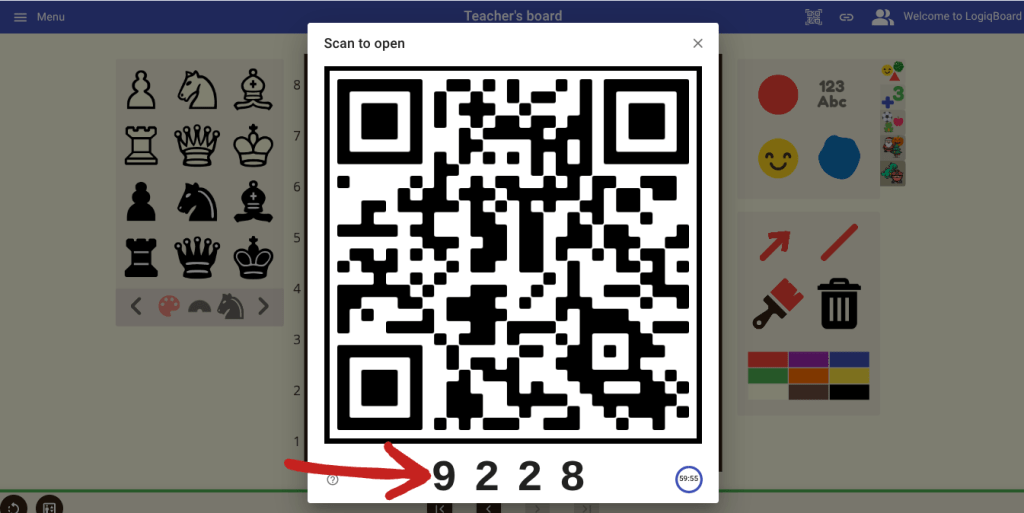
- Students type the 4-digit ‘simple code’ on the home page, add their names and join the motherboard.
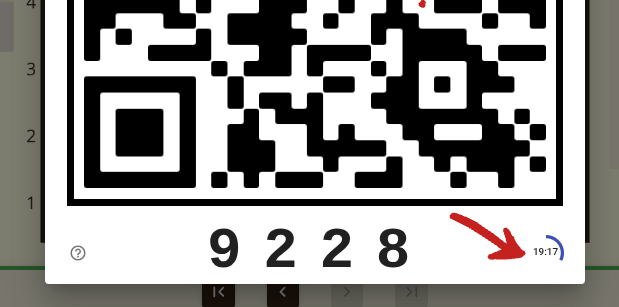
- Students have 60 minutes to learn and play on the motherboard, with a live timer visible each time you click on the QR code.
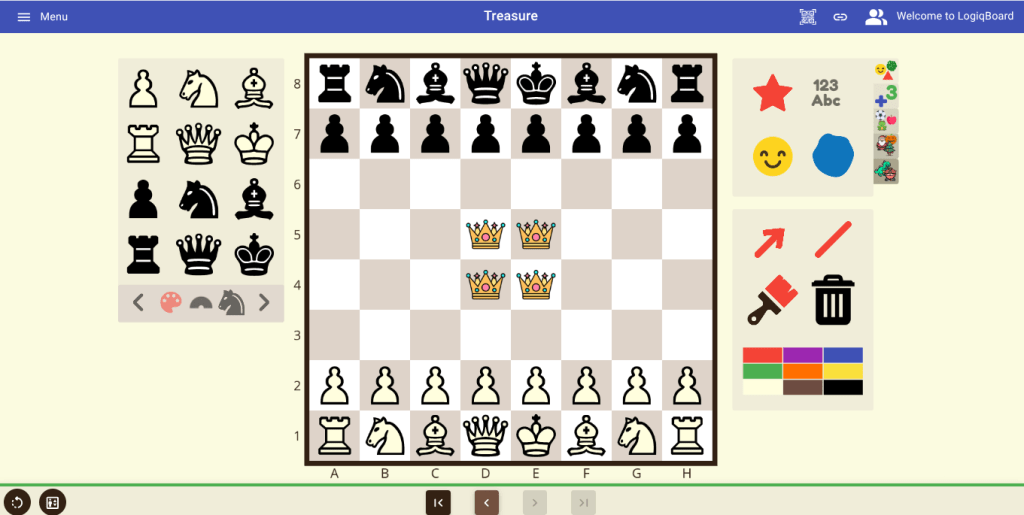
Game: Treasure
The game shown above is called Treasure and is a great game for Teacher v. Students.
Aim: to be the first team to have their King land on a red ruby.
How to play: Normal chess rules apply, including check.
Feature no.2 : Flip the board
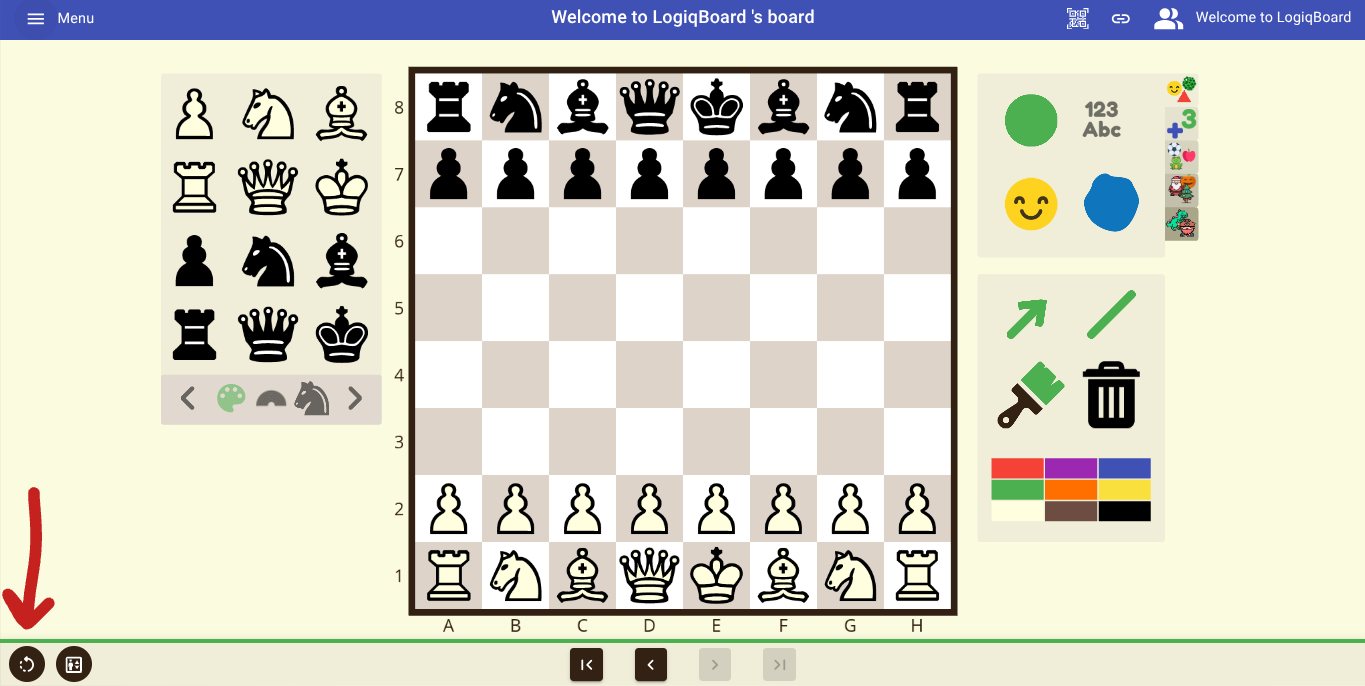
Flip the board so students see the board from both perspectives including co-ordinates. To do this click on the icon bottom left. 🔃
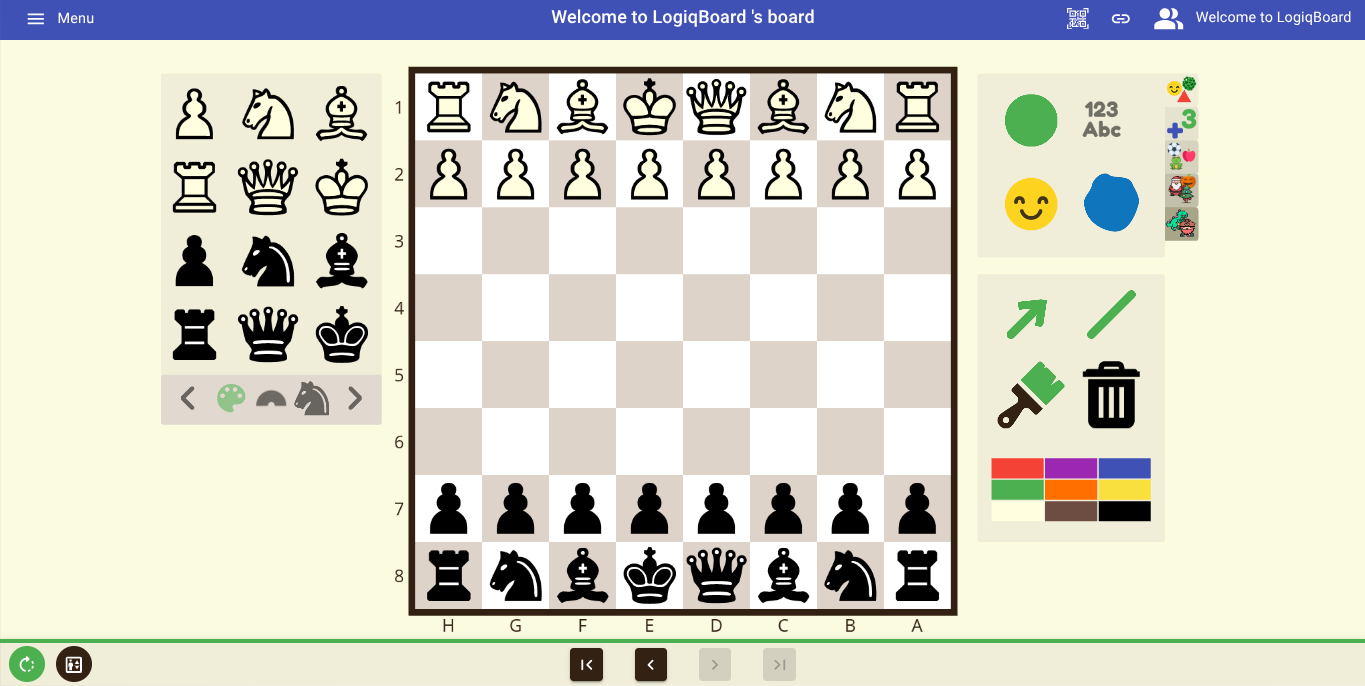
Feature 3: Lower the chessboard
Click on the ‘little person’ icon on the bottom left to minimise and lower the board. Inviting students to be part of the whole class teaching input is a great way to engage students and boost confidence. We also know that some students choose to work on the demo board as part of the main activity.
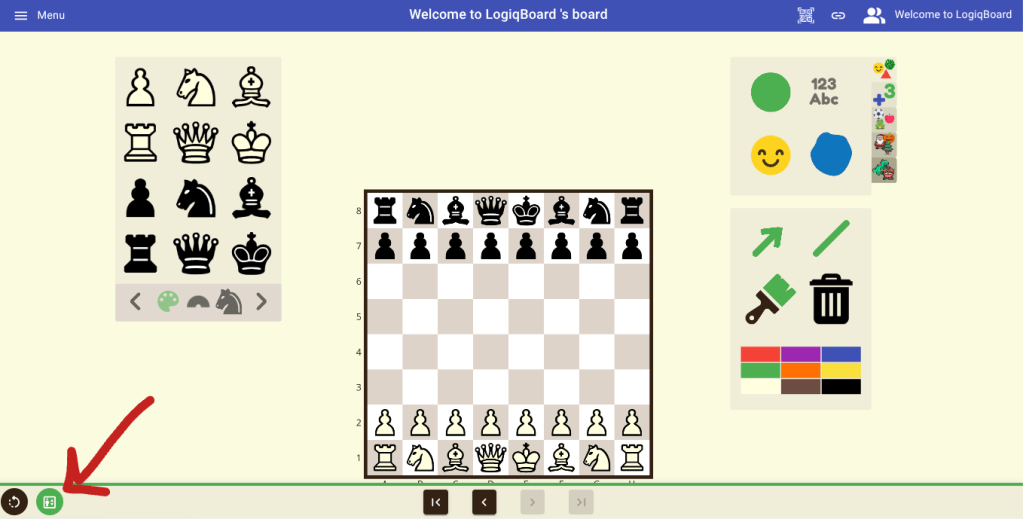
We lowered the board to make it accessible for our younger and shorter students and teachers. (Also not all interactive whiteboards are placed at appropriate heights! 😬)
Feature 4: Folders
I think this feature was created just for me! I’ll never forget my lovely visit to Hungary where I met Marton Pallagi, our LogiqBoard tech genius. I asked Marton ‘…hypothetically speaking, is there a limit to the number of boards a user can have…?’ His cheeky smile said it all and he replied… ‘don’t worry Hari there’s no restriction on the boards you can create’.
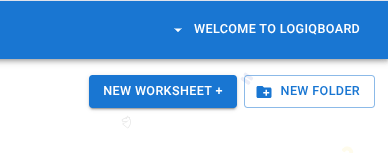
I laughed because I was definitely in need of folders. You can save boards and worksheets in folders so they’re easy to find and organise by topic or age group. My top tip is to create folders as soon as you subscribe to logiqboard.com! 📂
Feature 5: Chess Fundamentals
The Autumn term was the launch of our Chess Fundamentals. These are 64 excellent worksheets designed for foundation level chess instruction, aligned with the FIDE Preparation of Teachers course.
So as well as our eclectic resources on Classroom Worksheets users also have a curriculum for beginner chess students.
New features for teachers
We’ll continue to add wonderful resources to logiqboard.com and features to make your chess classroom the best in can be. Ed tech that has a purpose and makes learning more powerful.♟️
Feedback welcome
If you have feedback for logiqboard.com you can email us from our home page or message on social media.
Courses
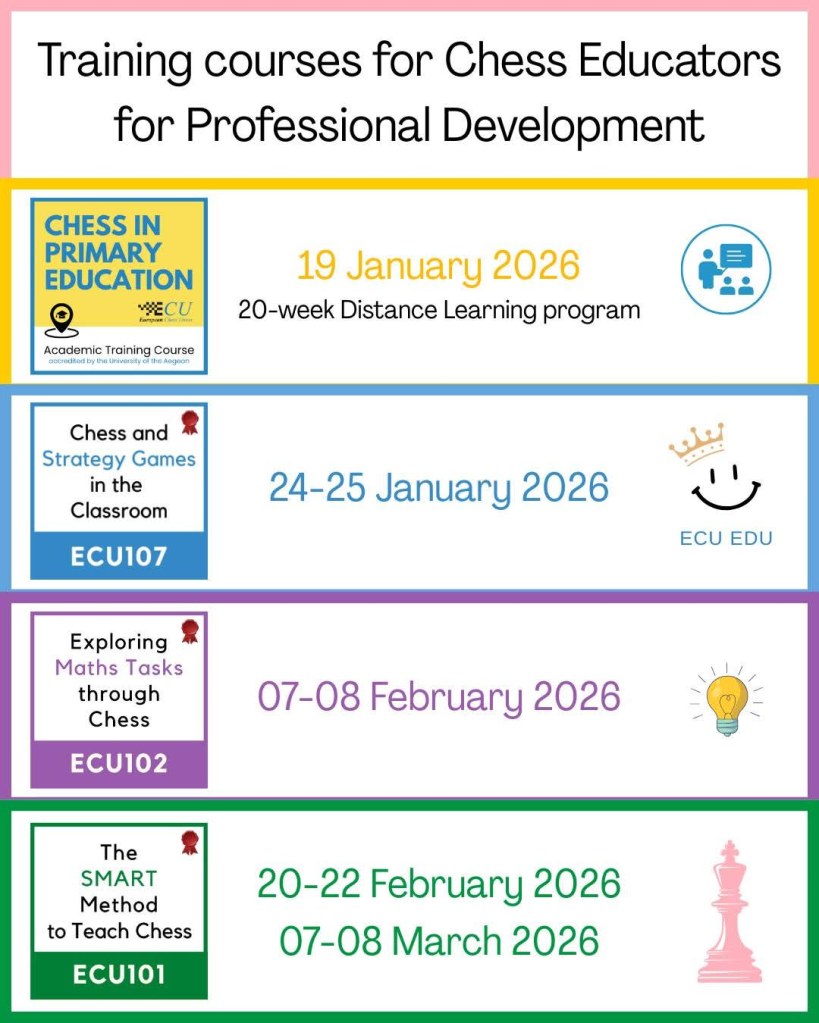
Speaking about being the best chess teacher you can possibly be, don’t forget we regularly share courses from FIDE Education and the ECU Education Commission.
LogiqBoard is proud to feature in all of them. I’m also proud to one of the course creators for Exploring Maths through the Theme of Chess happening in February. Do check it out if you teach maths in primary or secondary education or if you’re a chess teacher. Chess is a powerful tool to develop problem solving skills. 🎲
https://ecuhub.eu/course-category/education-commission/
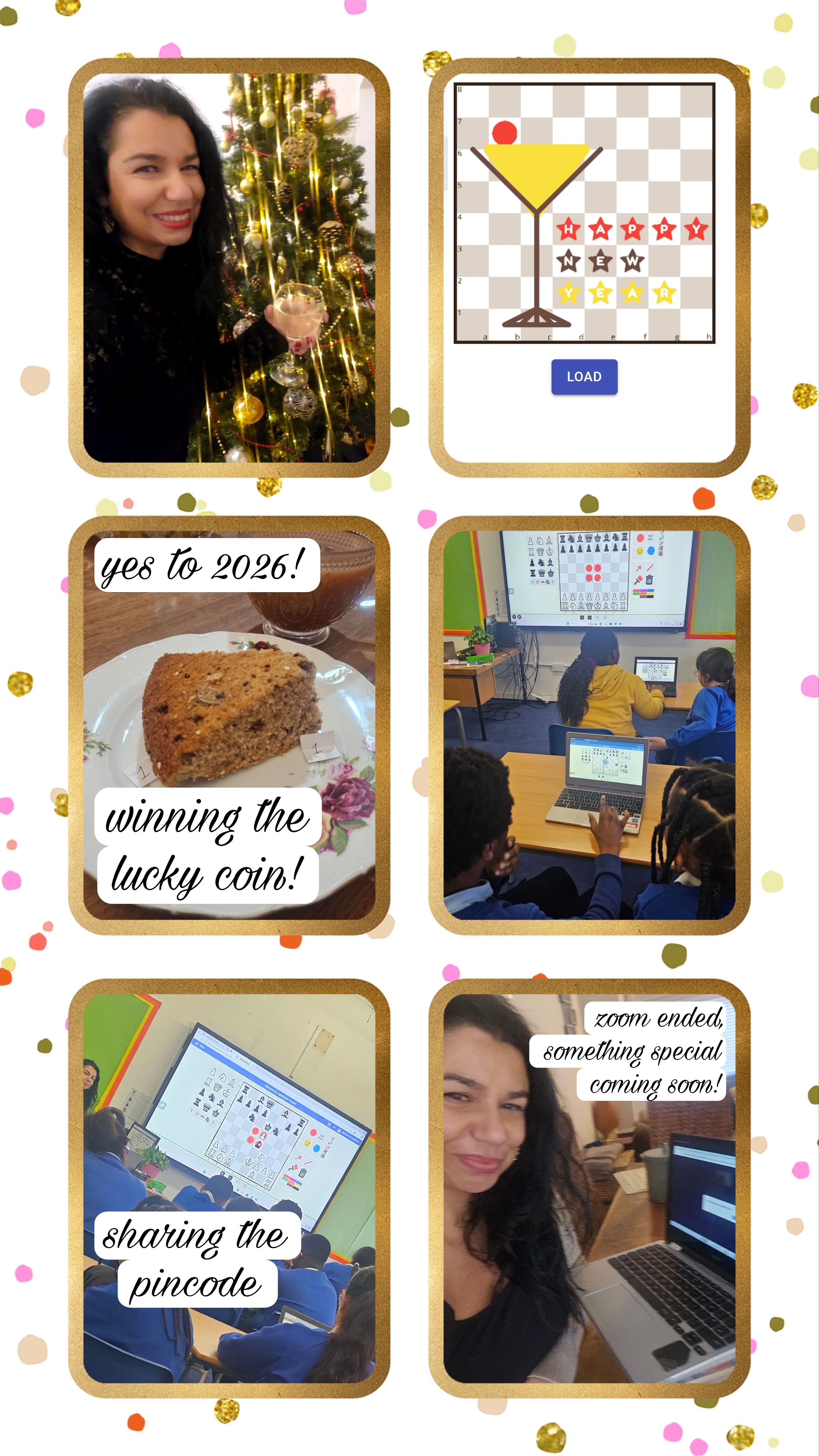
I’ll leave you with a few photos of my new year activities…
Happy new year LogiqBoard friends, to health & happiness always,
Hari ❤️
 LogiqBoard BLOG